How to Sync Music With DJ Party Stage Lights?

Time:2026-10-20 Author:Liam
0%

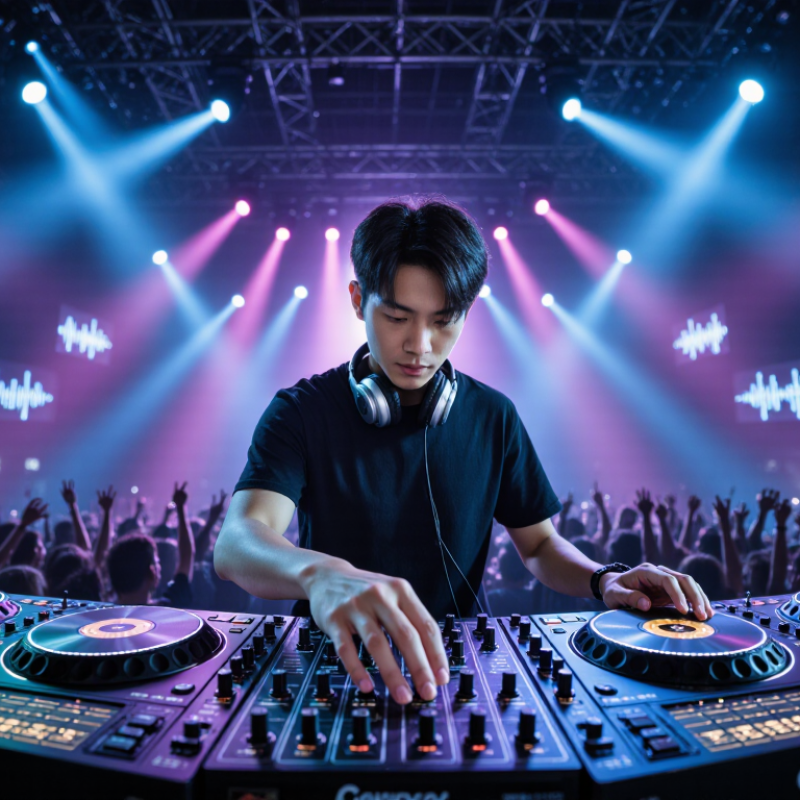
Learning how to sync music with dj party stage lights can transform an ordinary room into a responsive performance space. The right setup makes each bass hit feel visible, while softer passages create breathing room. In practice, synchronization depends on audio analysis, fixture selection, control software, and careful programming. A moving beam should not flash randomly when the song becomes quiet. That looks careless.

Experienced DJs and lighting technicians usually begin with the music structure. They identify the intro, verse, chorus, breakdown, and drop. Then they assign colors, movement, intensity, and effects to each section. A reliable controller may use beat detection, MIDI, DMX, or dedicated lighting software. Each method has strengths and limitations. Automatic modes are convenient, but they can misread complex rhythms or live performances. Manual cues often look more intentional, although they require preparation and timing.

Keep the audience comfortable. Always test brightness, strobe speed, cable placement, and equipment heat before guests arrive. Follow venue rules and manufacturer guidance. Some plans fail because the operator programs effects while ignoring sightlines or camera exposure. I have also seen strong music lose impact when every fixture changes at once. Less can feel bigger. Start with one fixture, one song section, and one clear visual idea. Record a short rehearsal from the audience area, then adjust what feels distracting. The result may not be perfect, and that is useful feedback. A dependable light show grows through testing, observation, and controlled improvement.

How to Sync Music With DJ Party Stage Lights?

Understanding How Music-Synced DJ Stage Lights Work

How to Sync Music With DJ Party Stage Lights?
Understanding How Music-Synced DJ Stage Lights Work

Music-synced DJ stage lights react to sound through a microphone or audio input. The controller analyzes rhythm, volume, and frequency changes. It then sends timing commands to connected fixtures. Low frequencies often trigger broad color changes, while sharp sounds can activate flashes or moving beams. The result feels responsive, but it is not perfectly musical.

In a practical setup, place the sound sensor near the speaker system, not behind the DJ booth. Adjust the microphone gain until the lights respond clearly without flashing constantly. Many controllers also offer beat detection, automatic programs, and DMX control. DMX allows careful adjustment of brightness, color, movement, and fixture timing. Keep cable connections secure, and test every lighting zone before guests arrive.

Start with slower transitions during the opening tracks. Increase movement when the music becomes more energetic. Watch for latency, because delayed lighting can weaken the entire performance. I have found that excessive sensitivity makes a room look chaotic. Less can be stronger. Still, beat detection sometimes misses quiet intros or unusual rhythms. Manual corrections may be necessary. A short rehearsal often reveals problems that software settings hide. Lighting should support the music, not compete with it.

Choosing Compatible Lighting, Audio, and Control Equipment

How to Sync Music With DJ Party Stage Lights?

Choosing compatible lighting, audio, and control equipment prevents most synchronization problems. Start with fixtures supporting DMX512-A, the common control language for stage lighting. Confirm channel counts before purchasing. A moving fixture may require over 20 channels, while a basic wash light needs far fewer. Your controller must provide enough universes, outputs, and update speed for the complete rig.

Audio compatibility matters just as much. Use a balanced audio output from the mixer, then connect it to a controller with adjustable beat detection. A microphone can follow kick drums, but crowd noise may trigger unwanted flashes. MIDI clock or timecode usually produces tighter results than automatic sound activation. Keep cables short where possible. Check latency with a visible snare hit.

The 2024 AVIXA Industry Outlook forecasts continued growth in professional audiovisual spending, increasing demand for interoperable equipment. Compatibility is becoming an operational requirement, not a luxury. The U.S. Department of Energy’s 2023 solid-state lighting report records laboratory LED efficacies above 200 lumens per watt. Real entertainment fixtures deliver less after optics, dimming, and color mixing.

Test everything at performance volume. I still find small timing errors noticeable. A 30-millisecond delay can make a flash feel late. Set fixture refresh rates carefully, especially when cameras record the event. Power distribution also deserves attention; overloaded circuits can interrupt synchronization. Sometimes, fewer fixtures create a cleaner and more reliable show.

Connecting the DJ System to a Lighting Control Interface

How to Sync Music With DJ Party Stage Lights?

Connecting a DJ system to a lighting control interface requires careful signal planning. A DJ mixer sends audio, while the lighting interface interprets timing data. Use a balanced output whenever possible. Route it into the interface’s audio input, not directly into a lighting fixture. If the system uses DMX, connect the interface to the lighting network with suitable cables and termination. Electrical isolation is important when audio and lighting equipment use separate power circuits. In my setups, a small gain adjustment often prevents unstable light changes.

Keep it simple.

During soundcheck, play a track with a steady kick drum. Adjust the input level until the interface receives a strong signal without clipping. The beat detection should follow the low-frequency pulse, not every vocal accent. Set the sensitivity gradually. Excessive sensitivity can make fixtures flicker during quiet sections. A fixed tempo source may work better for ambient passages or tracks with irregular rhythms. I sometimes use manual scene triggers because automatic detection misses subtle musical changes.

Leave headroom.

Before the audience arrives, test fades, color changes, blackout cues, and emergency lighting. Label every cable and secure loose connections near the booth. Keep the lighting interface away from heat and spilled drinks. I still miss an occasional cue when a song changes unexpectedly. That reminds me to keep manual control available. A reliable setup should enhance the music, not compete with it.

How to Sync Music With DJ Party Stage Lights? - Connecting the DJ System to a Lighting Control Interface

Setup Dimension Typical Standard or Signal How It Works Practical Recommendation
Audio Source DJ mixer output
Master, booth, or record output
The lighting system receives an audio signal from the DJ mixer or playback system. The signal is analyzed for volume, beat intensity, and frequency changes. Use a dedicated line-level output when available so the lighting signal remains independent of the sound system volume.
Music-to-Light Method Audio analysis
Automatic beat detection
A sound-active controller detects rhythmic peaks and separates low, mid, and high frequency activity to trigger color changes, dimming, strobes, or movement. Set sensitivity carefully. Excessive sensitivity can cause random flashes during speech, crowd noise, or heavily compressed tracks.
Lighting Control Interface DMX512
Digital lighting control
The interface converts lighting commands into DMX data. A standard DMX512 universe can control up to 512 control channels, although fixtures may use multiple channels each. Place the controller between the audio analysis source and the first lighting fixture, then connect fixtures in a daisy-chain layout.
Connection Sequence DJ system → controller → fixtures The DJ mixer supplies the audio reference, the lighting controller interprets the music or programmed cues, and the DMX output distributes commands to the fixtures. Confirm the signal direction before powering the system: audio input goes to the controller, while DMX output goes to the first fixture.
Fixture Addressing DMX start address Each fixture uses a starting channel address. Its channel count determines the addresses occupied by color, dimmer, pan, tilt, zoom, strobe, and other functions. Assign non-overlapping addresses when fixtures need independent control. Use matching addresses only when identical fixtures should behave together.
Control Mode Sound-active, automatic, or programmed Sound-active mode follows detected audio. Automatic mode runs internal programs. Programmed mode uses manually created scenes, chases, or time-coded cues. Use sound-active mode for quick setup and programmed cues for repeatable shows or tightly synchronized performances.
Beat Synchronization Tap tempo or beat detection Controllers may estimate the tempo from the audio or allow the operator to enter a tempo manually. The system then aligns chase steps and effects with the beat. For complex transitions, manually adjust the tempo or use a dedicated synchronization signal rather than relying only on automatic detection.
Signal Level Line-level audio Most lighting audio inputs are designed for a line-level signal, not a speaker-level output. A line-level feed helps prevent overload and distortion in the controller. Start with a low mixer output level and increase it gradually while checking the controller's input indicator or sensitivity meter.
Latency Processing and fixture response time Small delays can occur during beat detection, software processing, DMX transmission, and fixture movement. Flashing effects usually appear more immediate than pan or tilt movement. Reduce unnecessary processing stages and use fixture presets with faster movement when visual timing is critical.
DMX Cable Layout Shielded twisted-pair cable DMX should use suitable balanced data cable. Fixtures are normally connected in sequence rather than through unplanned splits or long parallel branches. Keep data cables away from high-power cables where possible and use a proper DMX splitter for multiple branches.
Termination 120-ohm DMX terminator A terminator placed at the end of the DMX chain helps reduce signal reflections, especially on long cable runs or systems with several fixtures. Install the terminator at the final fixture, not at the controller or at every fixture in the chain.
Color and Intensity RGB, RGBW, dimmer, strobe Lighting scenes commonly combine color mixing, intensity control, shutter or strobe effects, and fade times to match musical sections. Reserve bright white and high-intensity strobe effects for selected musical accents to reduce visual fatigue and power demand.
Moving Fixtures Pan, tilt, speed, position Moving fixtures require additional control channels for position and movement speed. Their visual response depends on both DMX commands and mechanical acceleration. Use slower movement for broad musical passages and faster movement for drops, while keeping beams away from faces and unsafe audience areas.
Power Distribution Separate power and data planning Lighting fixtures require electrical power in addition to DMX data. Power loading depends on the fixture's rated wattage and the capacity of each circuit. Calculate the total load, distribute fixtures across suitable circuits, and avoid overloading extension leads or power strips.
Testing Procedure Signal, address, and cue check A reliable test confirms audio input, controller response, fixture addressing, color output, movement limits, blackout behavior, and cable continuity. Test the system at low intensity first, then verify each fixture individually before enabling full music-reactive effects.
Show Workflow Soundcheck → programming → performance The operator checks audio levels during soundcheck, programs scenes or chases, and monitors the lighting response during the performance. Save a neutral look, a blackout scene, and a manual override so the operator can quickly recover from unexpected behavior.

Configuring Sound, Beat, and DMX Synchronization Settings

How to Sync Music With DJ Party Stage Lights?

A reliable setup starts with clean audio routing, not brighter fixtures. Send a separate line-level feed to the lighting controller. Avoid microphone pickup when possible. It can mistake crowd noise for rhythm. Set the analyzer to detect kick transients, then compare its BPM with the DJ software. A four-beat chase should follow the song’s downbeat, not every loud sound. Keep sensitivity moderate, around 45–60%, and test both quiet breakdowns and crowded drops. Small timing errors become obvious on a large dance floor.

Beat synchronization needs restraint. Use slow color fades for verses and sharper intensity changes during drops. A 100–150 millisecond fade often feels tighter than instant flashing. Keep brightness below uncomfortable levels, especially in enclosed venues. Industry demand supports this attention to control: AVIXA’s 2024 Industry Outlook estimates global professional AV revenue at approximately 325 billion dollars in 2024. IFPI’s Global Music Report 2024 also recorded 10.2% growth in global recorded-music revenue during 2023, reinforcing the value of precise audio-visual presentation.

DMX settings require discipline. Assign fixtures by universe and confirm every address before programming scenes. ANSI E1.11 defines DMX512-A communication, including 512 control slots per universe. Use identical channel profiles across fixtures, then check pan, tilt, dimmer, and strobe channels manually. My first programming pass often looks impressive but feels too busy. Leave empty beats. Watch from the audience, not only from the console. A short pause can make the next hit feel larger.

Testing and Adjusting Light Effects During a Live Performance

During a live performance, music-synced lighting needs constant testing, not blind trust in pre-programmed cues. Start with a simple kick pattern and watch the stage from the audience area. Check whether flashes land with the beat, not slightly after it. A 20-millisecond delay can make a cue feel loose.

PwC’s Global Entertainment & Media Outlook 2024–2028 identifies live music as a continuing growth sector, increasing pressure on small crews to deliver polished shows. I test each scene at rehearsal volume, then repeat it with performers moving. Brightness can feel different when reflective costumes enter the frame. Keep intense effects brief. CIE 015:2018 recommends evaluating glare, contrast, and visual comfort, which are often forgotten during exciting transitions.

My first cue was too aggressive.

During the performance, I monitor the lighting console, the stage, and audience reactions. If a chase effect feels tiring, I slow its speed before changing its color. If the bass triggers too many fixtures, I reduce the audio sensitivity and keep the main beat manually timed. The U.S. Department of Energy’s 2023 Solid-State Lighting R&D Plan reports that LED systems can deliver high efficacy, but efficiency does not guarantee comfortable viewing. That distinction matters. I also leave spare time between complex cues. Live timing is imperfect, and performers may pause longer than expected. A reliable operator adjusts calmly instead of forcing every effect to follow the original timeline.

FAQS

How do music-synced stage lights react to sound?

A microphone or audio input detects rhythm, volume, and frequency changes. The controller sends timing commands to connected fixtures. Low frequencies may trigger broad color changes. Sharp sounds can activate flashes or moving beams. It feels responsive, but not perfectly musical.

Where should the sound sensor be placed?

Place it near the speaker system, not behind the DJ booth. Adjust the gain until lights respond clearly. Too much sensitivity causes constant flashing. Near the speakers.

What should be tested before guests arrive?

Secure every cable connection firmly. Test each lighting zone, color, movement, and timing. Check the system at realistic rehearsal volume. A short rehearsal can reveal hidden software problems.

How should lighting follow changing music energy?

Use slower transitions during opening tracks. Increase movement when the music becomes more energetic. Leave enough space between complex cues. Lighting should support the music, not dominate it.

What are the limits of automatic beat detection?

Beat detection may miss quiet introductions or unusual rhythms. Manual corrections can restore better timing. It is useful, but imperfect. I would not trust automatic settings blindly.

How can live timing be checked from the audience area?

Start with a simple kick pattern during rehearsal. Watch whether flashes land exactly with the beat. Even a 20-millisecond delay can make cues feel loose. Test from the audience viewpoint.

What should an operator do when bass triggers too many fixtures?

Reduce audio sensitivity before changing the entire lighting design. Keep the main beat manually timed when necessary. Slow a tiring chase effect before changing its color. Small corrections often work better.

How can brightness and visual comfort be managed?

Keep intense flashes and rapid effects brief. Reflective costumes can make brightness feel stronger onstage. Evaluate glare, contrast, and viewing comfort. Efficient lights can still feel uncomfortable. That distinction matters.

What does DMX control add to a lighting setup?

DMX allows precise control of brightness, color, movement, and fixture timing. It supports carefully timed scenes and manual corrections. However, programming alone cannot predict every performer pause. Live shows remain imperfect.

Conclusion

Learning how to sync music with dj party stage lights begins with understanding how lighting systems respond to sound, rhythm, and control signals. Start by selecting compatible lights, audio equipment, and a lighting controller that can communicate through suitable sound, beat, or DMX connections. The lighting system should match the venue, performance style, and available power and control options.

After connecting the DJ system to the lighting control interface, configure the settings for audio sensitivity, beat detection, color changes, movement, and DMX synchronization. Test each effect with different sections of the music, including transitions, drops, and slower passages. During the live performance, make careful adjustments to brightness, timing, speed, and scene changes so the lights enhance the music without becoming distracting. Regular testing and fine-tuning help create a coordinated, dynamic, and professional stage atmosphere.

Liam

Liam

Liam is a dedicated marketing professional with a profound expertise in the industry, where he excels at highlighting the unique advantages of our core products. With a keen understanding of market trends and consumer needs, Liam frequently updates our company’s professional blog, providing......